Giftee Box includes several features to make managing and redeeming vouchers easier:
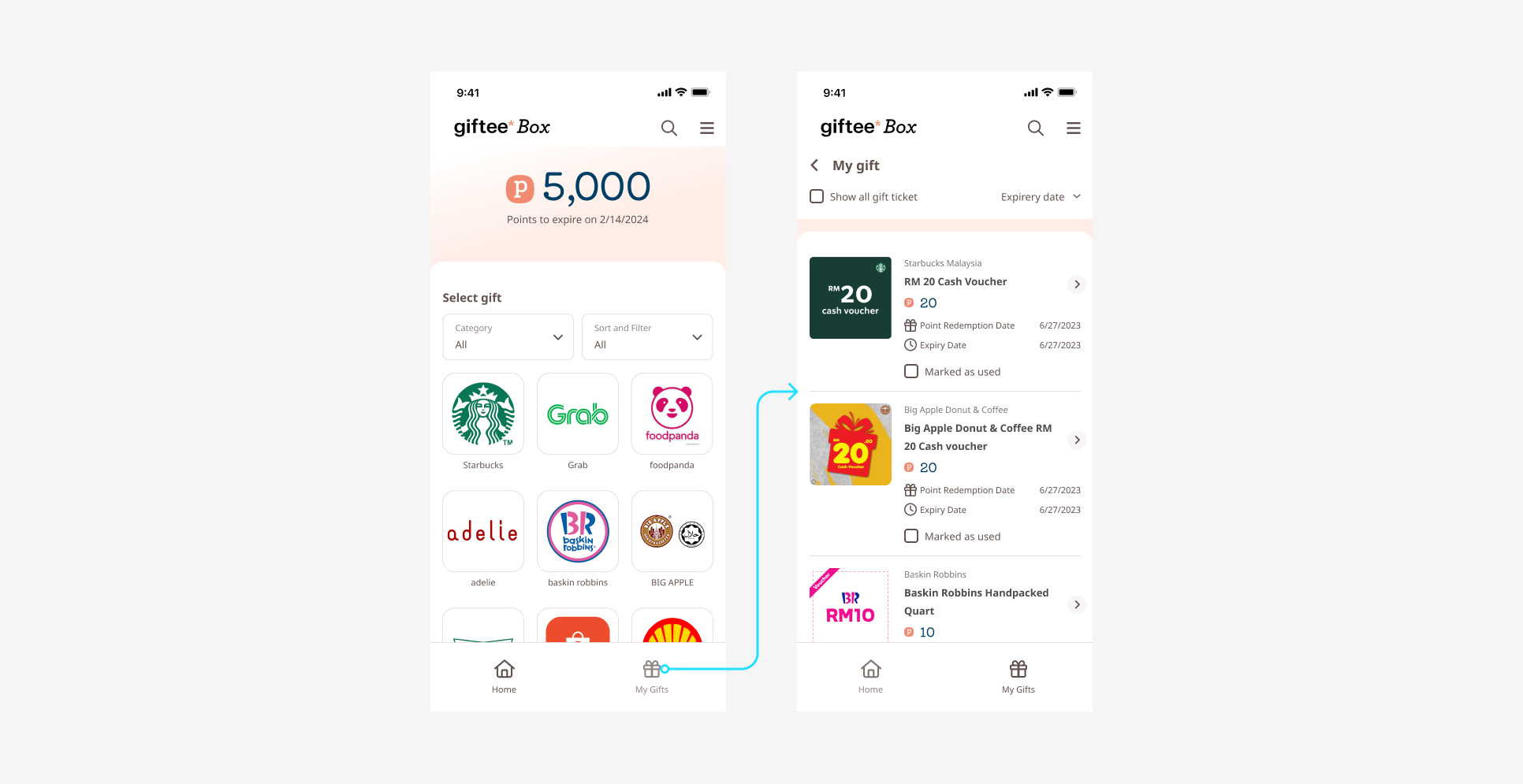
1. “My Gift”
Users can view all vouchers they have exchanged using Giftee Box points.
When an item is exchanged, the corresponding points are deducted from the total Giftee Box balance.
Example: If a user has 5,000 points and redeems items totaling 50 points, the remaining balance will be 4,950 points.
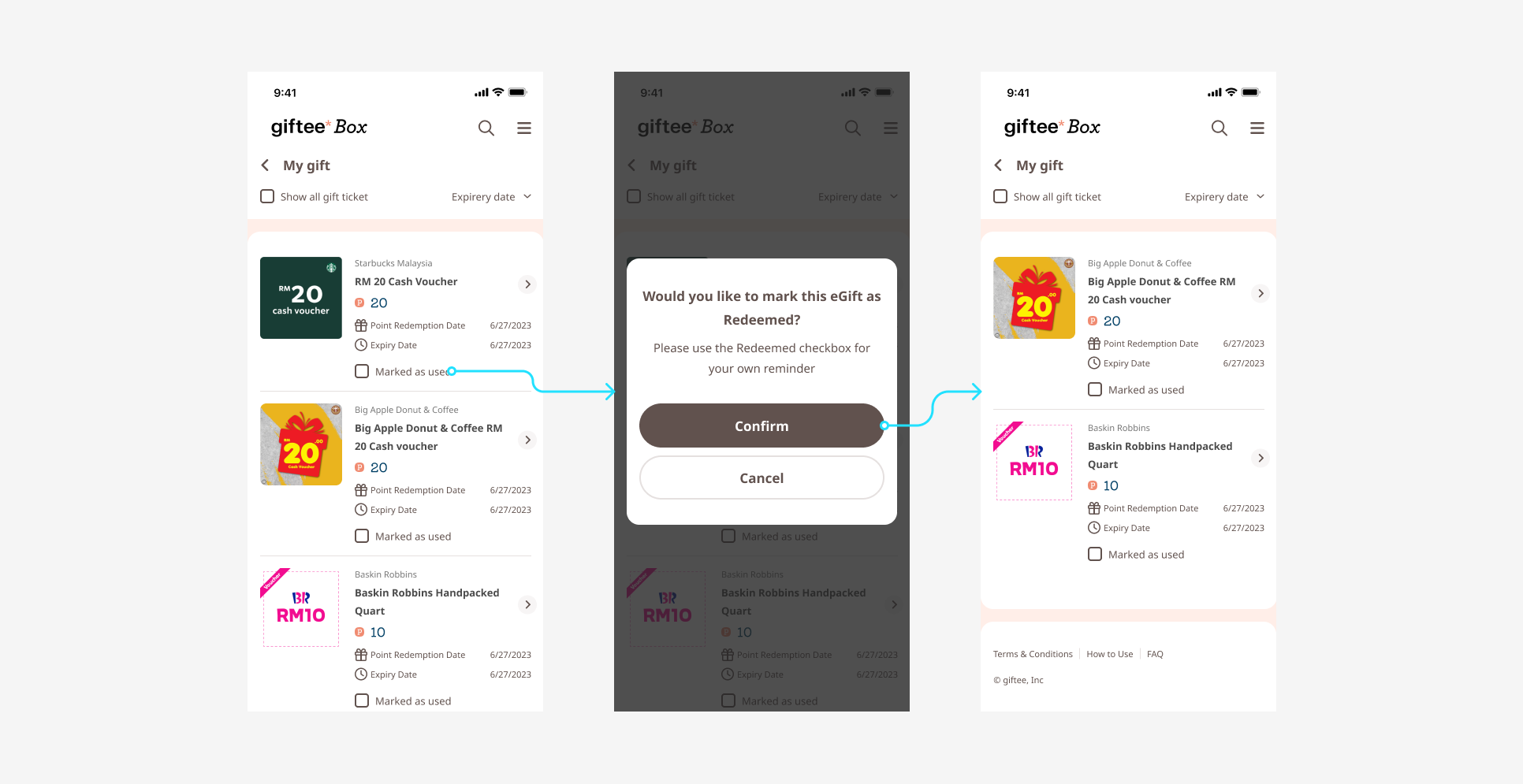
2. “Marked as Used”
Users can mark vouchers as redeemed at the store.
To do this, tap “Marked as Used” in My Gift and then tap Confirm.
3. “Category”
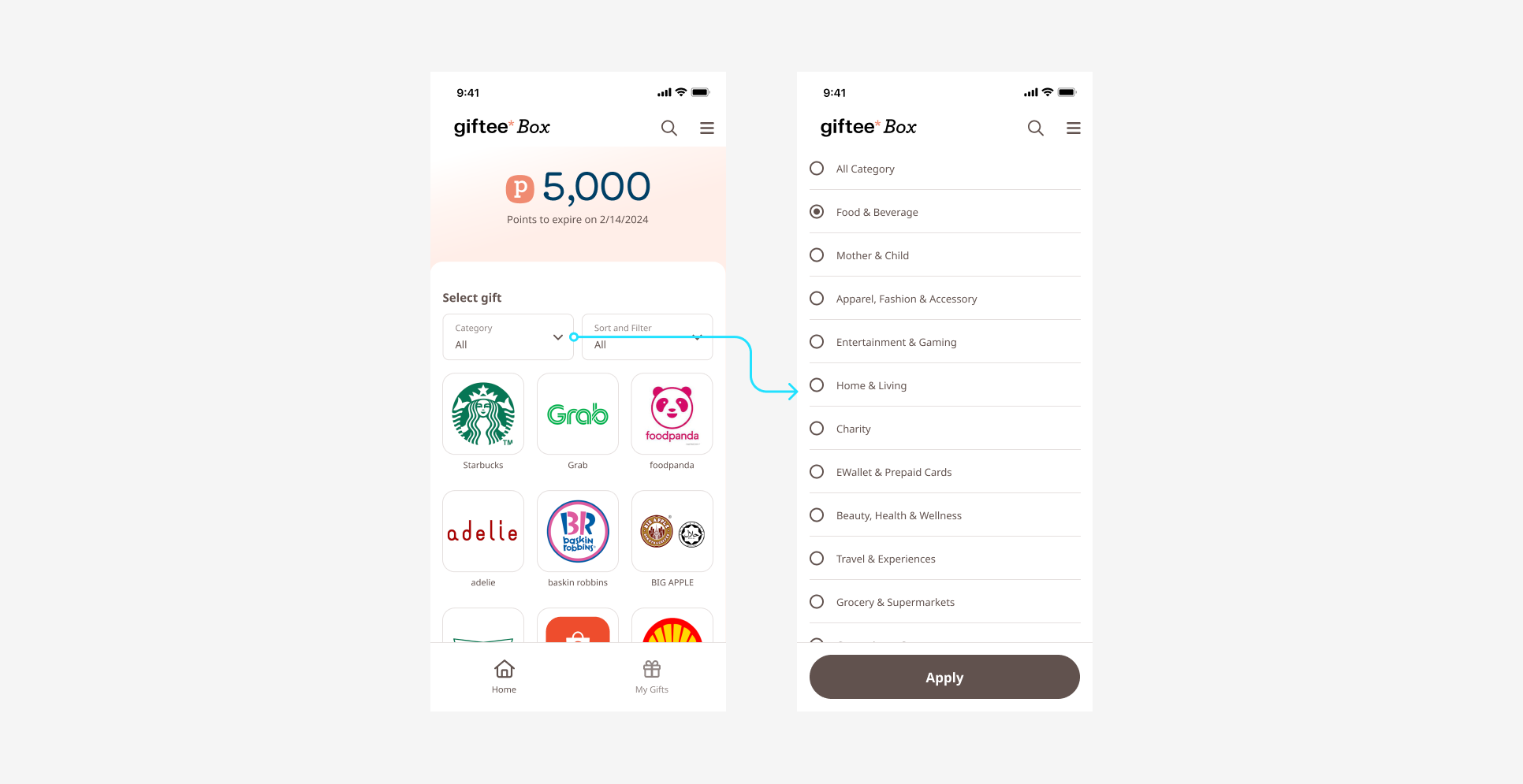
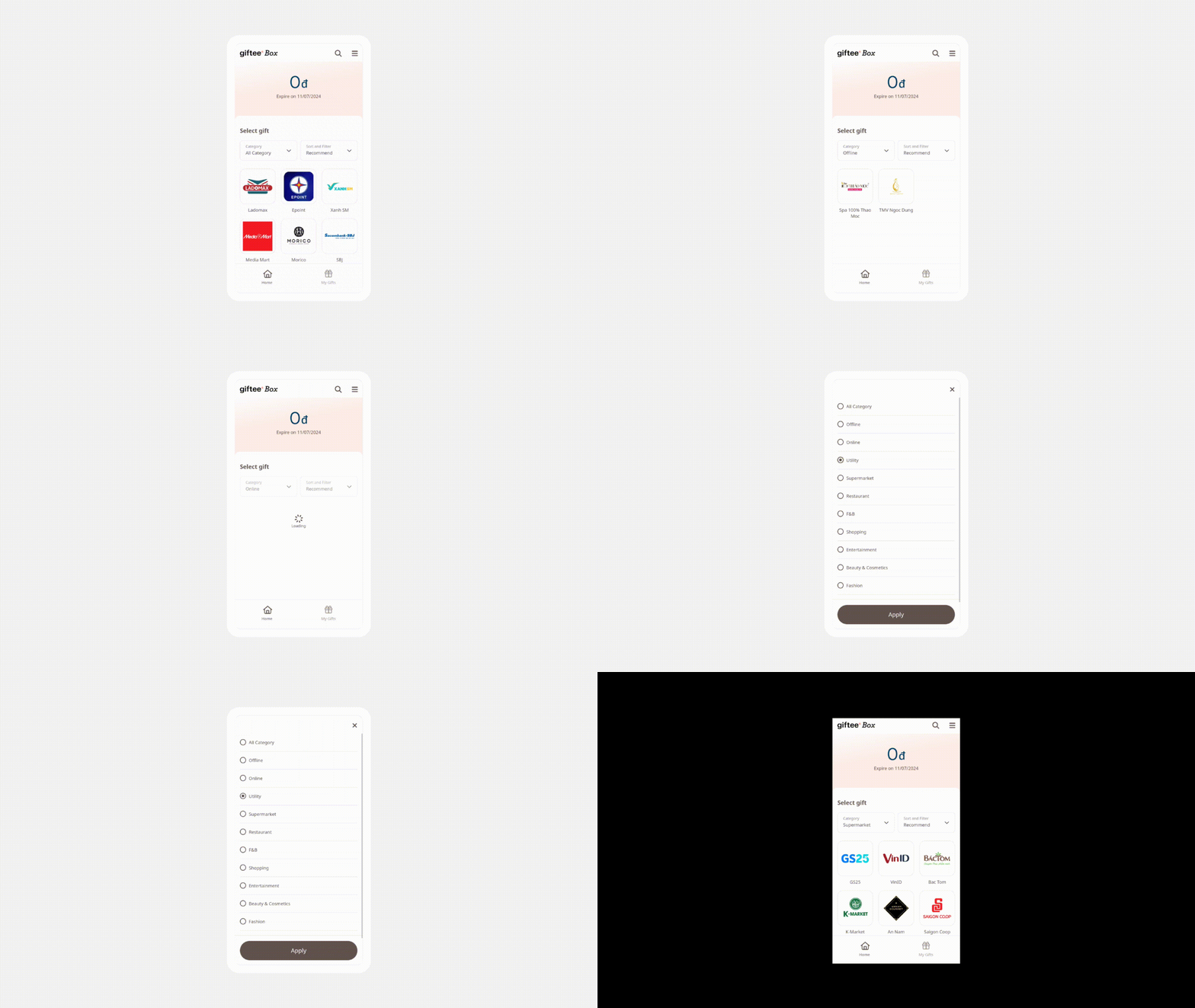
Allows users to filter and search for their desired brand easily.
The category selector is displayed at the top of the Giftee Box screen.
By default, the category is set to “All Categories”.
Users can select a specific category and tap Apply to filter the displayed items.
Was this article helpful?
That’s Great!
Thank you for your feedback
Sorry! We couldn't be helpful
Thank you for your feedback
Feedback sent
We appreciate your effort and will try to fix the article