Yes, you can.
After you have redeemed the voucher at the store, you may manually mark it as Used.
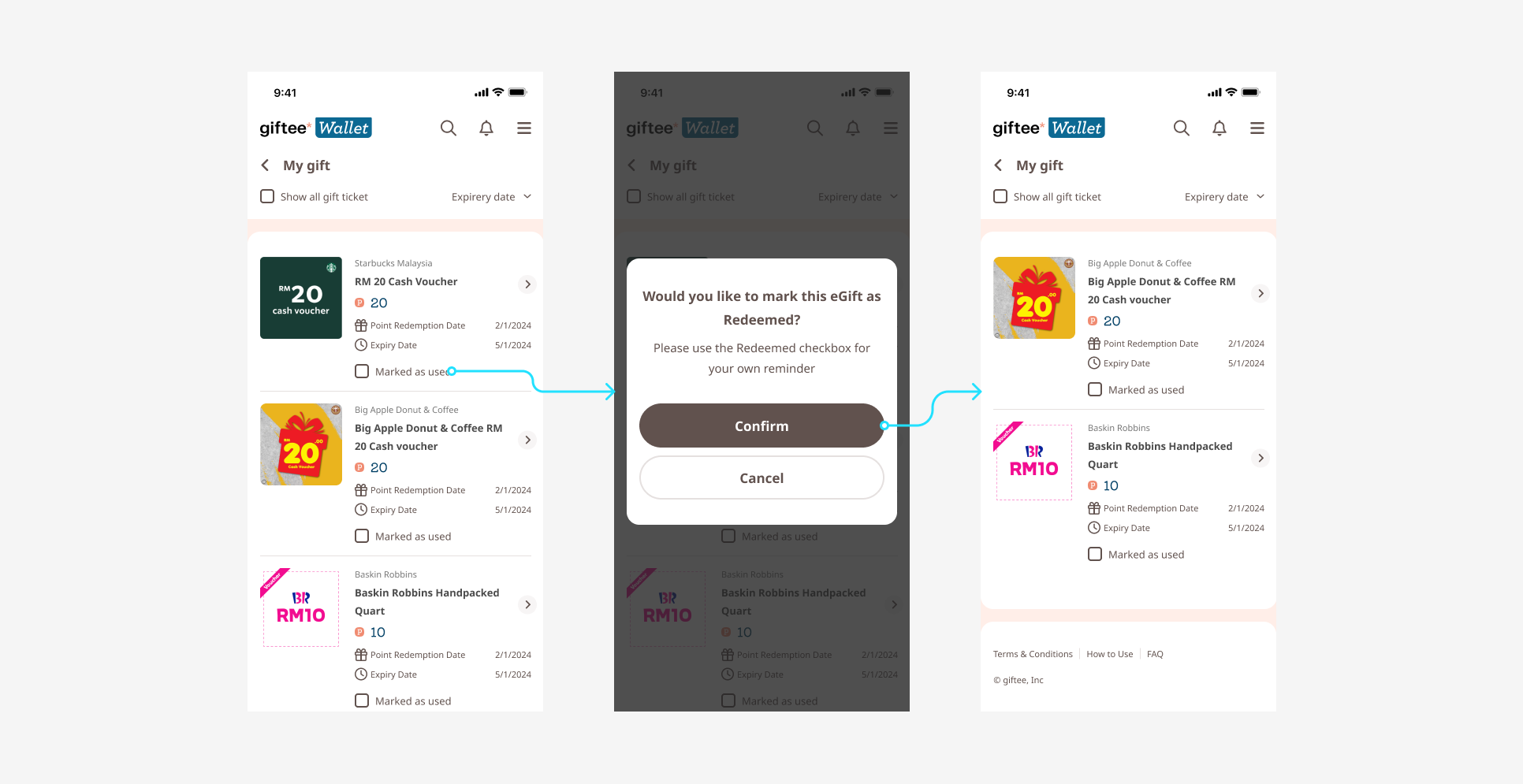
How to mark a voucher as used:
Go to “My Gifts”
Tap “Mark as Used” on the relevant voucher
Tap “Confirm” to update the status
Please note that automatic marking as used is not available at the moment due to system limitations.
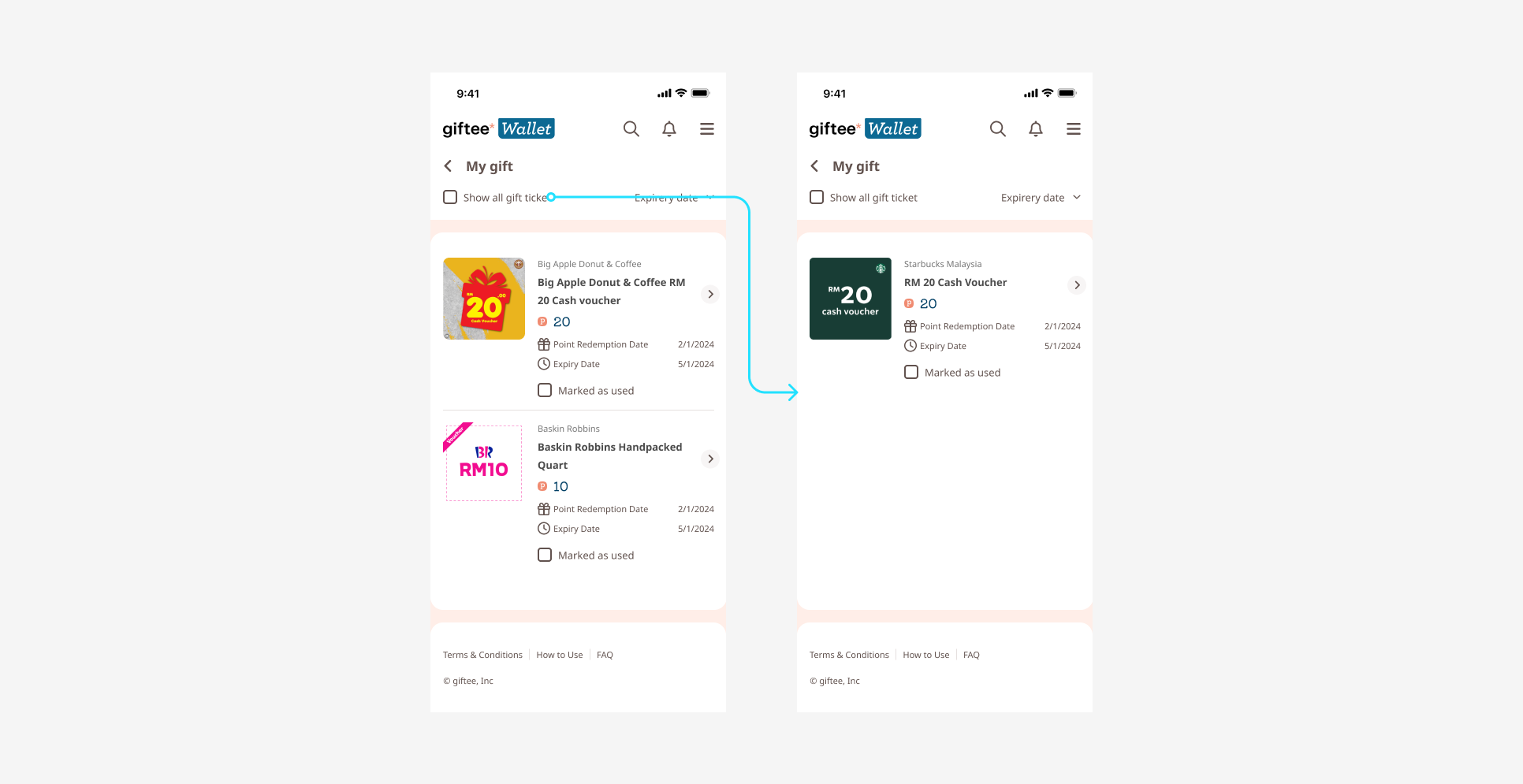
When you tap “Show All Gift Tickets” under “My Gifts”, any vouchers you have marked as used will be displayed accordingly.
Was this article helpful?
That’s Great!
Thank you for your feedback
Sorry! We couldn't be helpful
Thank you for your feedback
Feedback sent
We appreciate your effort and will try to fix the article