Follow these steps to locate your voucher in Giftee Box:
Step 1: Open the Giftee Box Link
Tap the link you received via email or SNS.
This will open your Giftee Box dashboard directly.
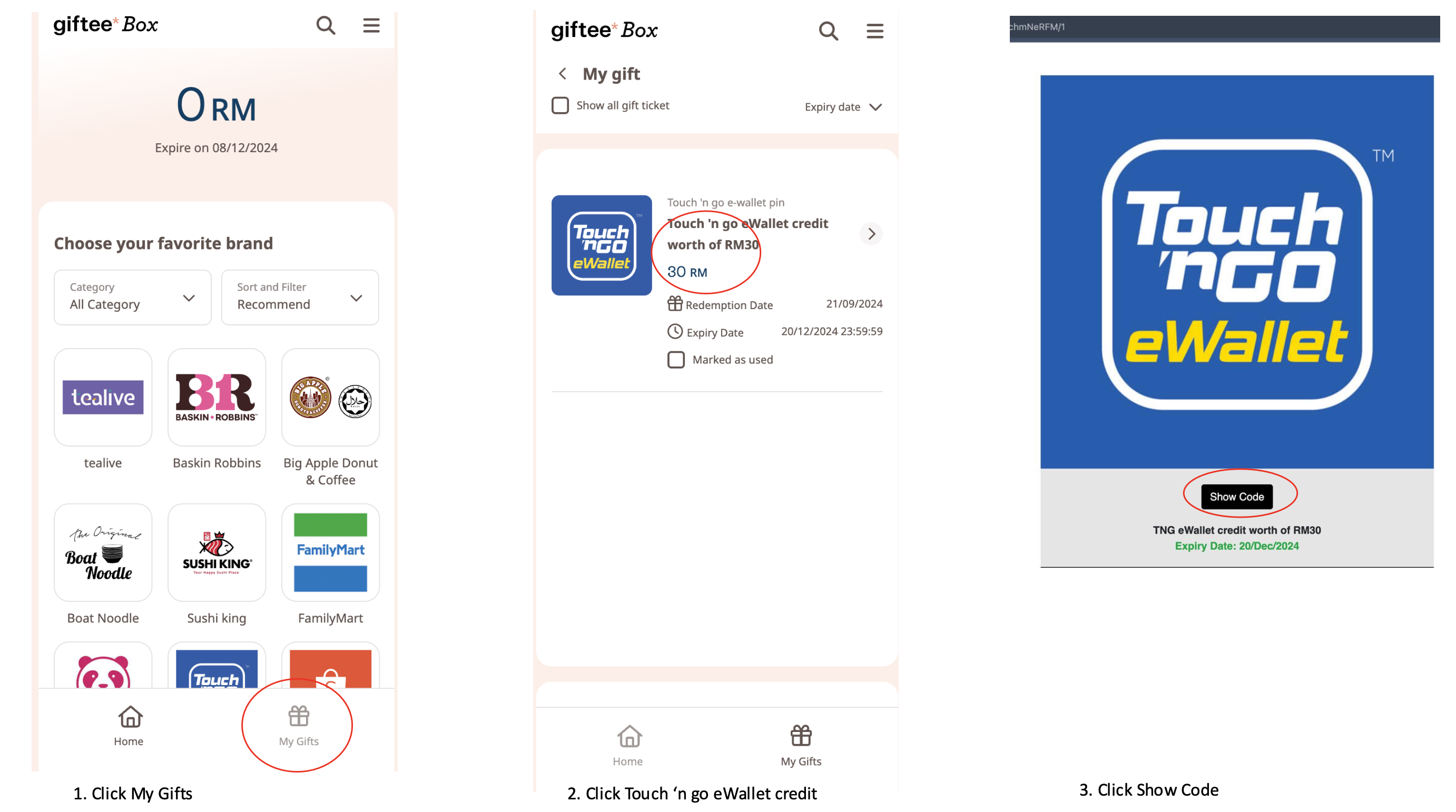
Step 2: Tap on “My Gifts”
Look for the “My Gifts” section at the bottom of the screen or in the menu.
Step 3: Check Under “Available” or “Used”
Tap “Available” to view vouchers that haven’t been redeemed.
Tap “Used” to see vouchers you’ve already redeemed.
Step 4: Tap the Voucher to View Details
Select a voucher to see more information, including brand, expiry date, and terms.
Step 5: Still Can’t Find It?
Submit a support ticket so we can investigate further.
Was this article helpful?
That’s Great!
Thank you for your feedback
Sorry! We couldn't be helpful
Thank you for your feedback
Feedback sent
We appreciate your effort and will try to fix the article