Please note that printed copies or screenshots are not accepted — only the digital voucher is valid.
Digital voucher can be redeemed once you are at the Petronas outlet.
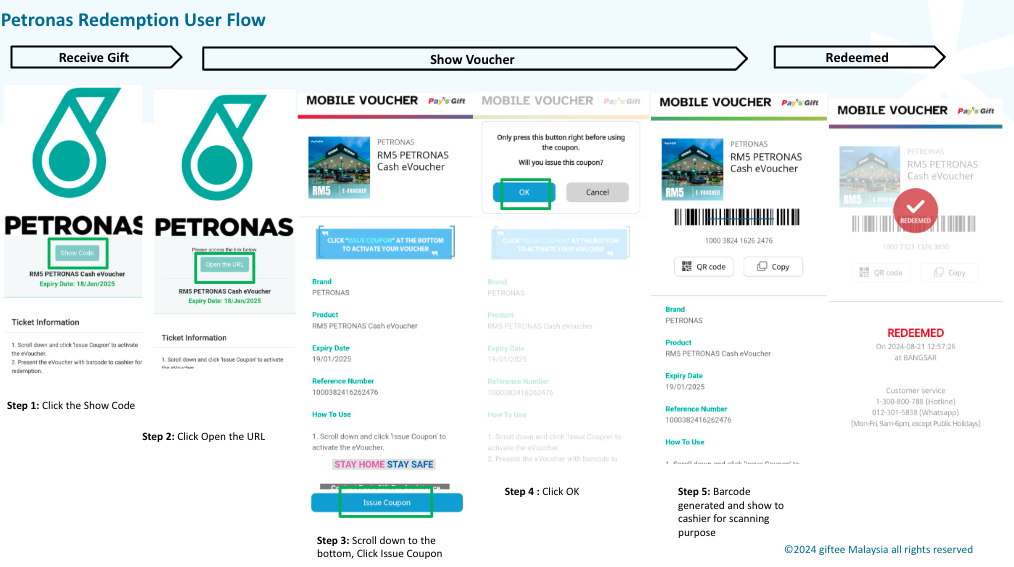
1. Click Show Code
2. Click Open the URL
3. Scroll down and click Issue Coupon
4. Click OK
5. Show the voucher barcode to the cashier.
6. The cashier will scan the barcode, and the voucher status will change to Redeemed.
Was this article helpful?
That’s Great!
Thank you for your feedback
Sorry! We couldn't be helpful
Thank you for your feedback
Feedback sent
We appreciate your effort and will try to fix the article