Please ensure that you have the Shopee app installed, review the voucher Terms & Conditions, and follow the steps below:
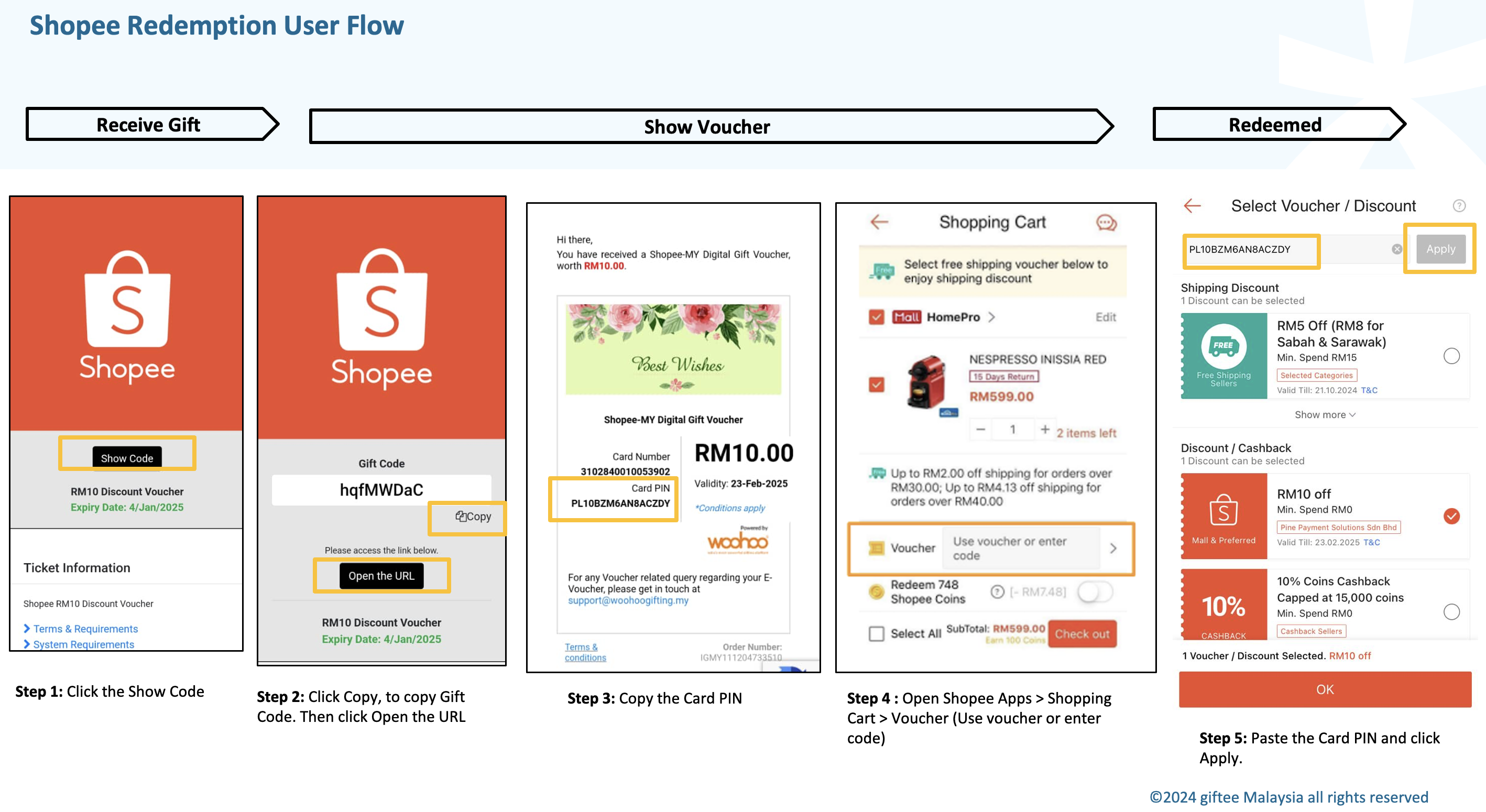
Click Show Code.
Copy the Gift Code.
Click Open the URL.
Copy the Card PIN code.
Open the Shopee app and go to Shopping Cart > Voucher.
Paste the Card PIN code.
Tap Apply to complete the redemption.
For a clearer walkthrough, you may also refer to the image provided.
Was this article helpful?
That’s Great!
Thank you for your feedback
Sorry! We couldn't be helpful
Thank you for your feedback
Feedback sent
We appreciate your effort and will try to fix the article