Please ensure you access the voucher using your mobile phone (redemption via desktop or laptop is not supported).
As the voucher will redirect you to the Grab app, make sure the Grab app is installed on your device.
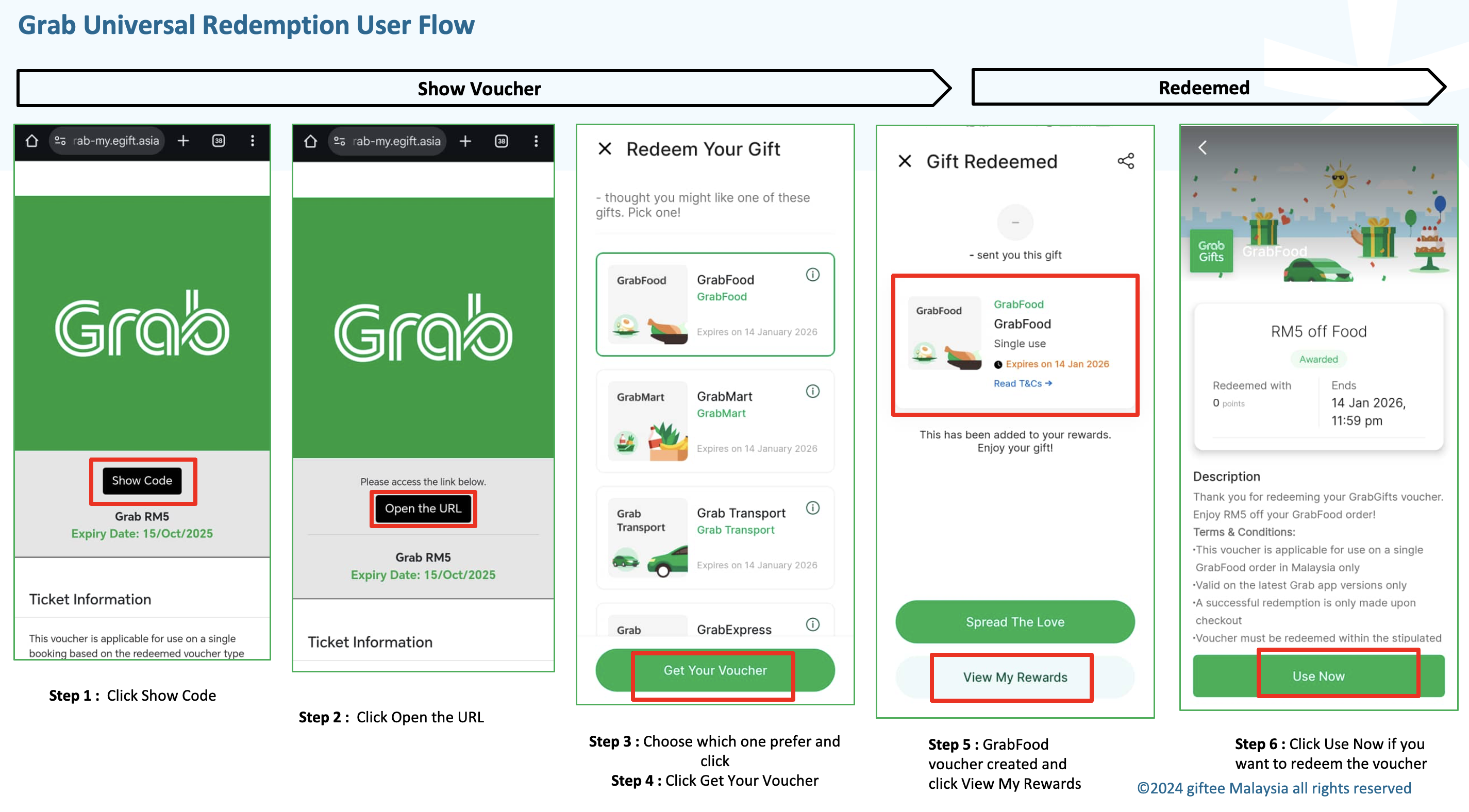
If you receive a Grab Universal voucher, you may choose your preferred voucher type, such as Food, Transport, Mart, or Express.
Follow these steps to redeem:
Click Show Code.
Click Open the URL.
Select your preferred voucher type and tap Get Your Voucher.
The selected voucher will be created and added to your Grab account.
Was this article helpful?
That’s Great!
Thank you for your feedback
Sorry! We couldn't be helpful
Thank you for your feedback
Feedback sent
We appreciate your effort and will try to fix the article