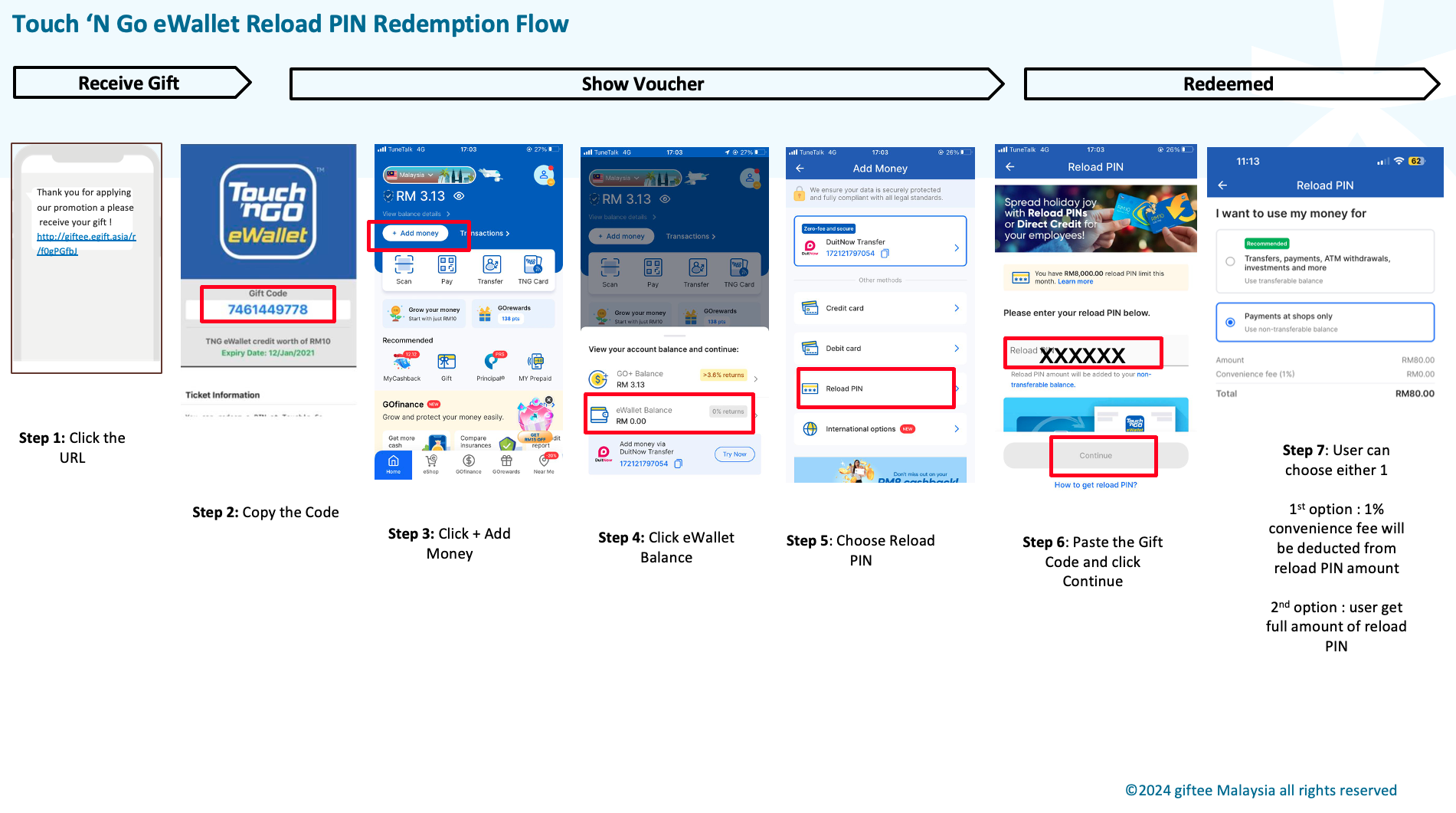
Here is the step on how to redeem the Touch 'n Go eWallet Reload PIN (TNG)
1. Click the voucher URL you received
2. Click Show Code
3. Copy the PIN code
4. Log in to the TNG eWallet app
5. Click + Add Money
6. Click eWallet Balance
7. Click Reload PIN
8. Paste the PIN code and click Continue
9. Choose your preference and Submit
You refer the below image for your reference.
Was this article helpful?
That’s Great!
Thank you for your feedback
Sorry! We couldn't be helpful
Thank you for your feedback
Feedback sent
We appreciate your effort and will try to fix the article