If your voucher code cannot be used or shows an error, please identify the brand and follow the corresponding redemption steps below:
1. Shopee
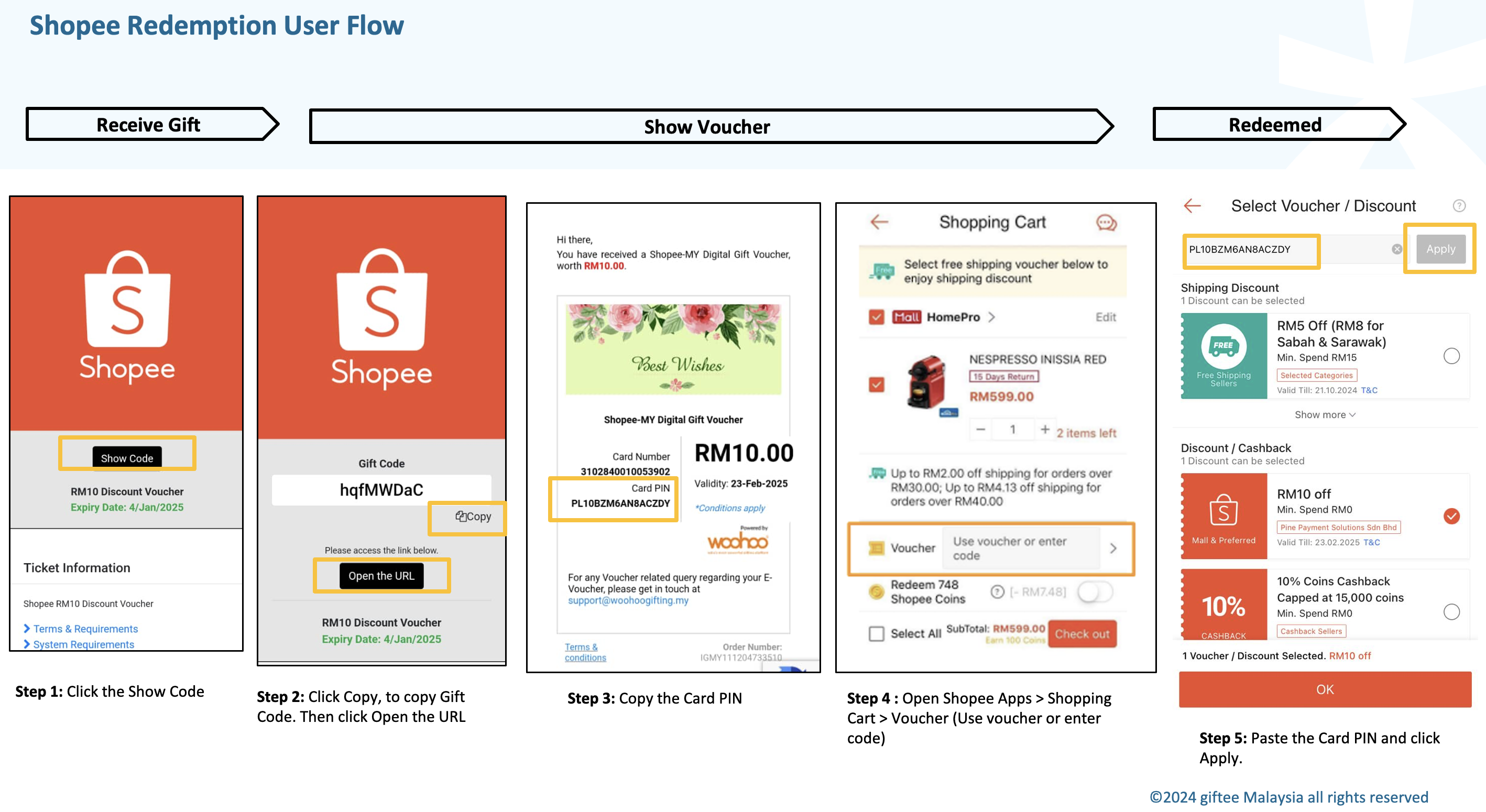
Ensure you have the Shopee app installed and follow these steps:
- Click Show Code
- Copy the Gift Code
- Click Open the URL
- Copy the Card PIN code
- Open Shopee app > Shopping Cart > Voucher
- Paste the Card PIN Code
- Click Apply
2. Shell
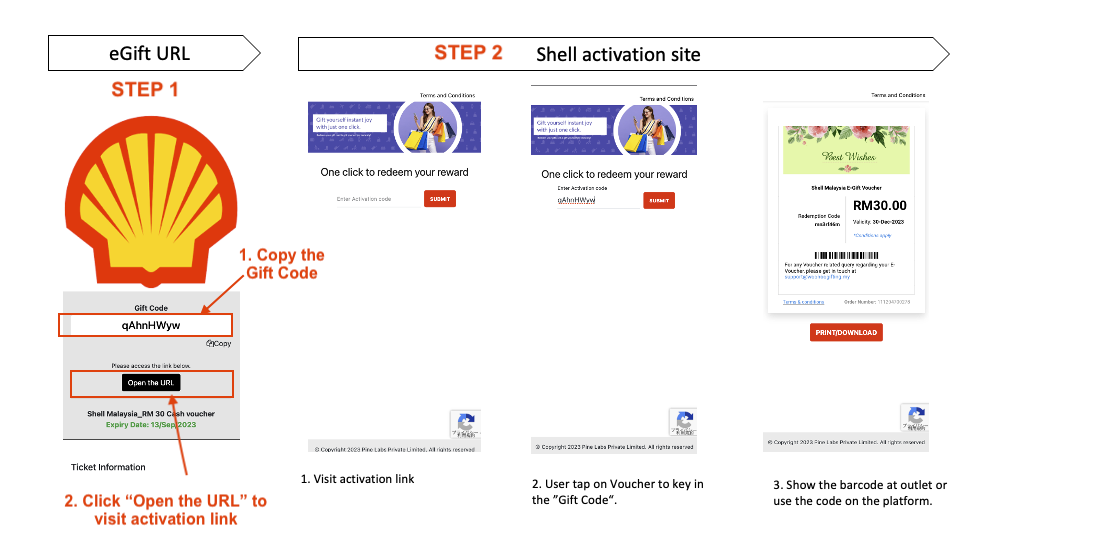
If you received Shell vouchers, please follow these steps:
- Click your voucher URL
- Copy the Gift Code
- Click Open the URL
- On the activation page, paste the Gift Code and click Submit
- The barcode will appear — present it to the cashier at payment
3. Lazada
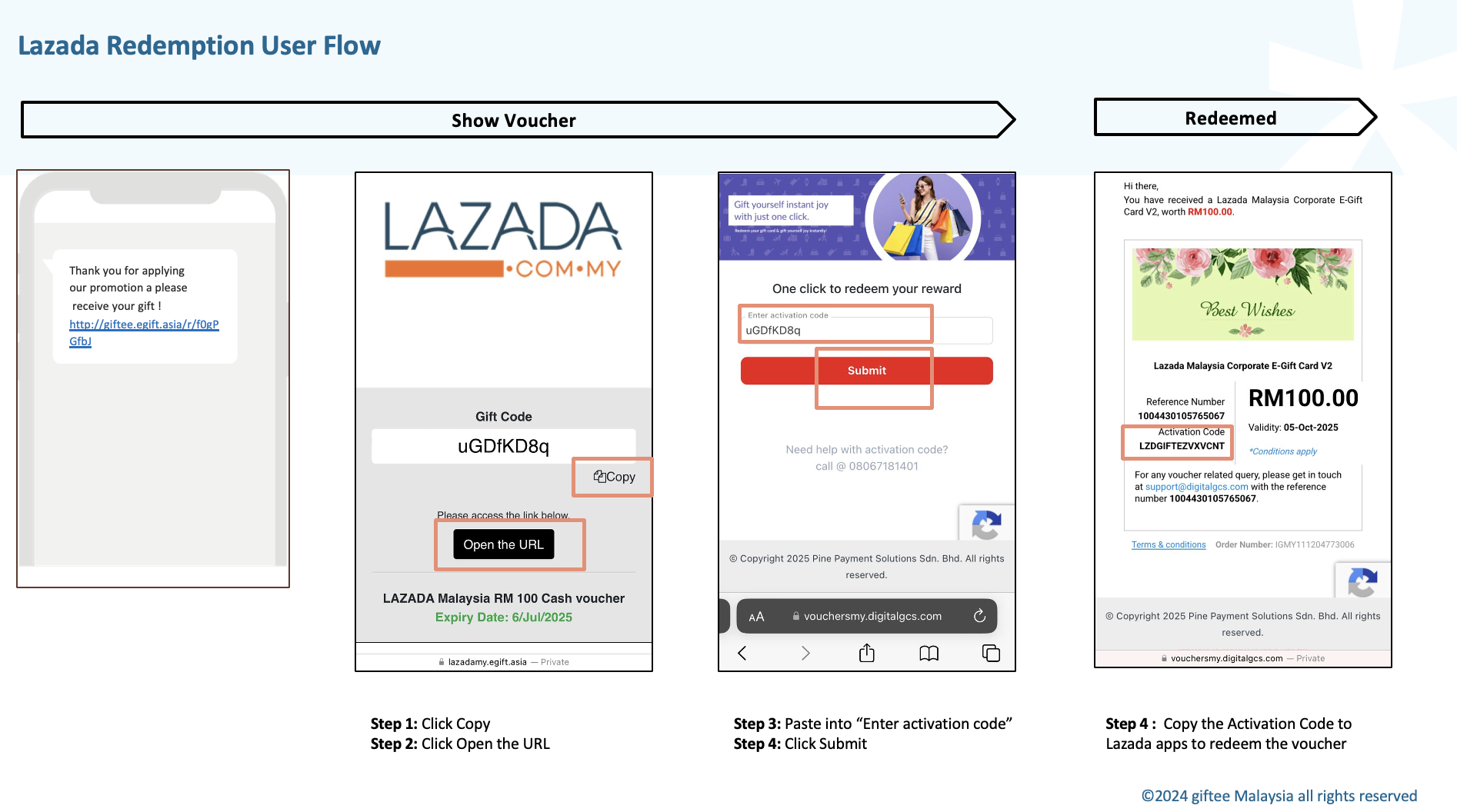
For Lazada vouchers, follow these steps:
- Click the voucher URL
- Copy the Gift Code
- Click Open the URL
- Paste the Gift Code on the activation page and click Submit
- Copy the Activation Code and paste it to the Lazada app to save the voucher
Was this article helpful?
That’s Great!
Thank you for your feedback
Sorry! We couldn't be helpful
Thank you for your feedback
Feedback sent
We appreciate your effort and will try to fix the article