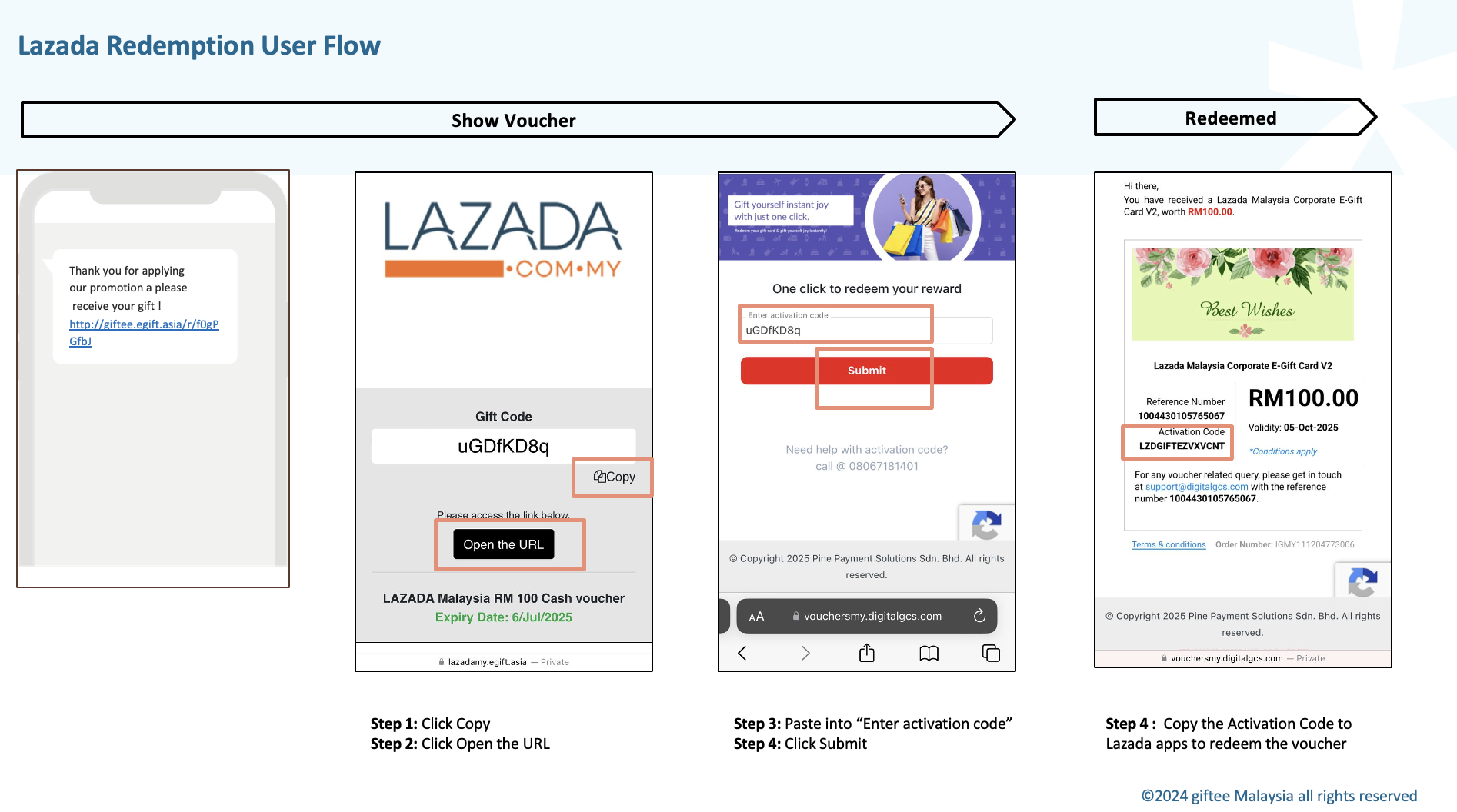
To redeem Lazada voucher, user can follow the these steps:
- Click the voucher URL
- Copy the Gift Code
- Click Open the URL
- Paste the Gift Code on the activation page and click Submit
- Copy the Activation Code and paste it to the Lazada app to save the voucher
Herewith the visual for better understanding
Was this article helpful?
That’s Great!
Thank you for your feedback
Sorry! We couldn't be helpful
Thank you for your feedback
Feedback sent
We appreciate your effort and will try to fix the article