To redeem your water bill voucher, please ensure that you enter the correct account number.
Kindly note that this voucher will be credited to your water bill account.
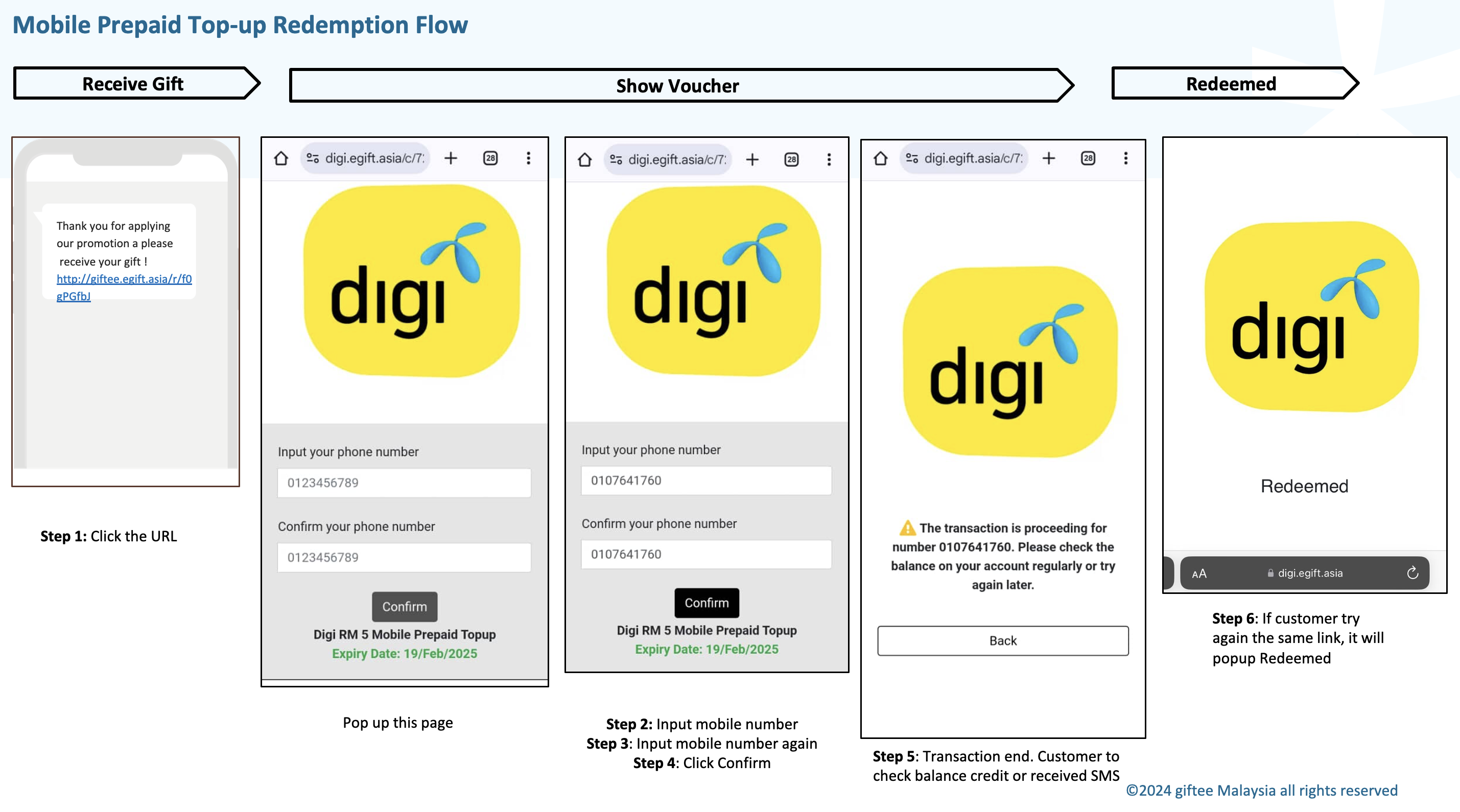
Please follow the steps below:
Click on the voucher URL.
Enter your water bill account number XXXXXXXX
Re-enter the same water bill account number for confirmation.
Click the Confirm button.
A notification will appear stating:
“The transaction is proceeding for number 01XXXXXXXXX. Please check your account balance regularly or try again.”
Some water biller do not allow multiple payment within a day or month. Please ensure that you read the voucher Terms & Conditions carefully.
Below is the redemption flow when you choose water bill voucher
Was this article helpful?
That’s Great!
Thank you for your feedback
Sorry! We couldn't be helpful
Thank you for your feedback
Feedback sent
We appreciate your effort and will try to fix the article