If you encounter any errors while redeeming your Foodpanda gift card, please ensure the following before accessing the URL:
Use a mobile device (laptop or desktop is not supported).
Ensure the Foodpanda app is installed on your device.
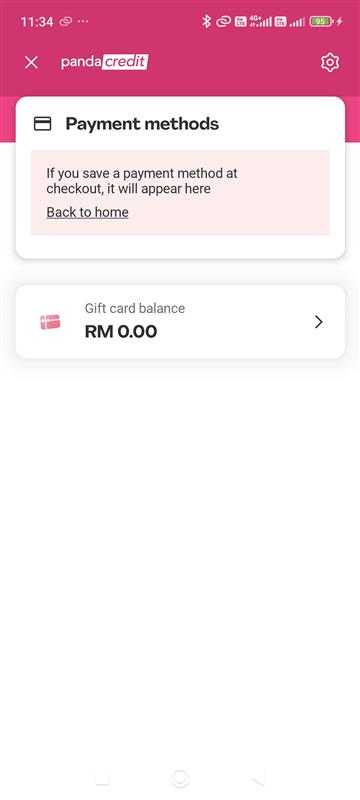
Please note that customers may see a zero balance when checking the Panda Wallet or Gift Card section. This is normal.
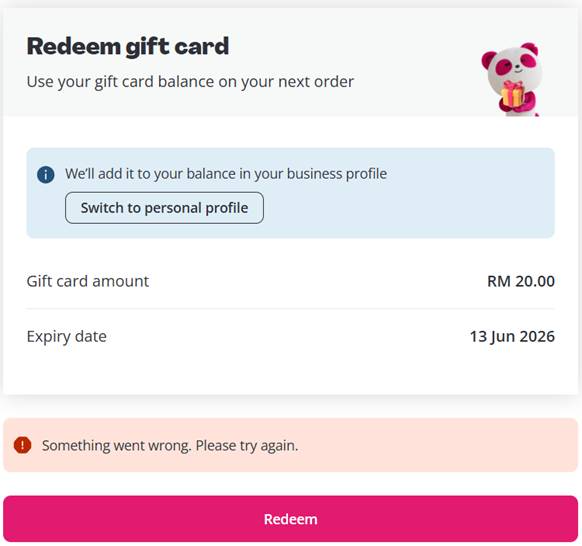
The sample is error message that customer will received:
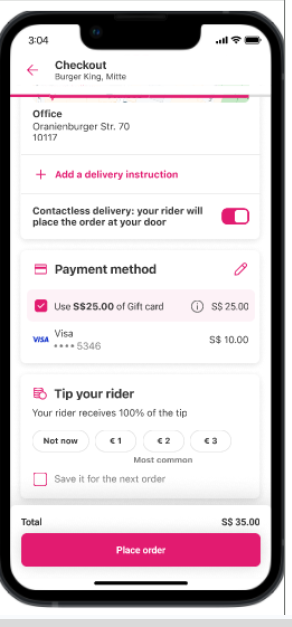
To redeem the Foodpanda gift card, please proceed to checkout and select “Gift Card” under the payment method section. If the order amount exceeds the gift card value, the remaining balance can be paid using a credit or debit card.
Here is the sample at checkout page:
Was this article helpful?
That’s Great!
Thank you for your feedback
Sorry! We couldn't be helpful
Thank you for your feedback
Feedback sent
We appreciate your effort and will try to fix the article