To reset password on Giftee for Business Portal, please follow the steps below.
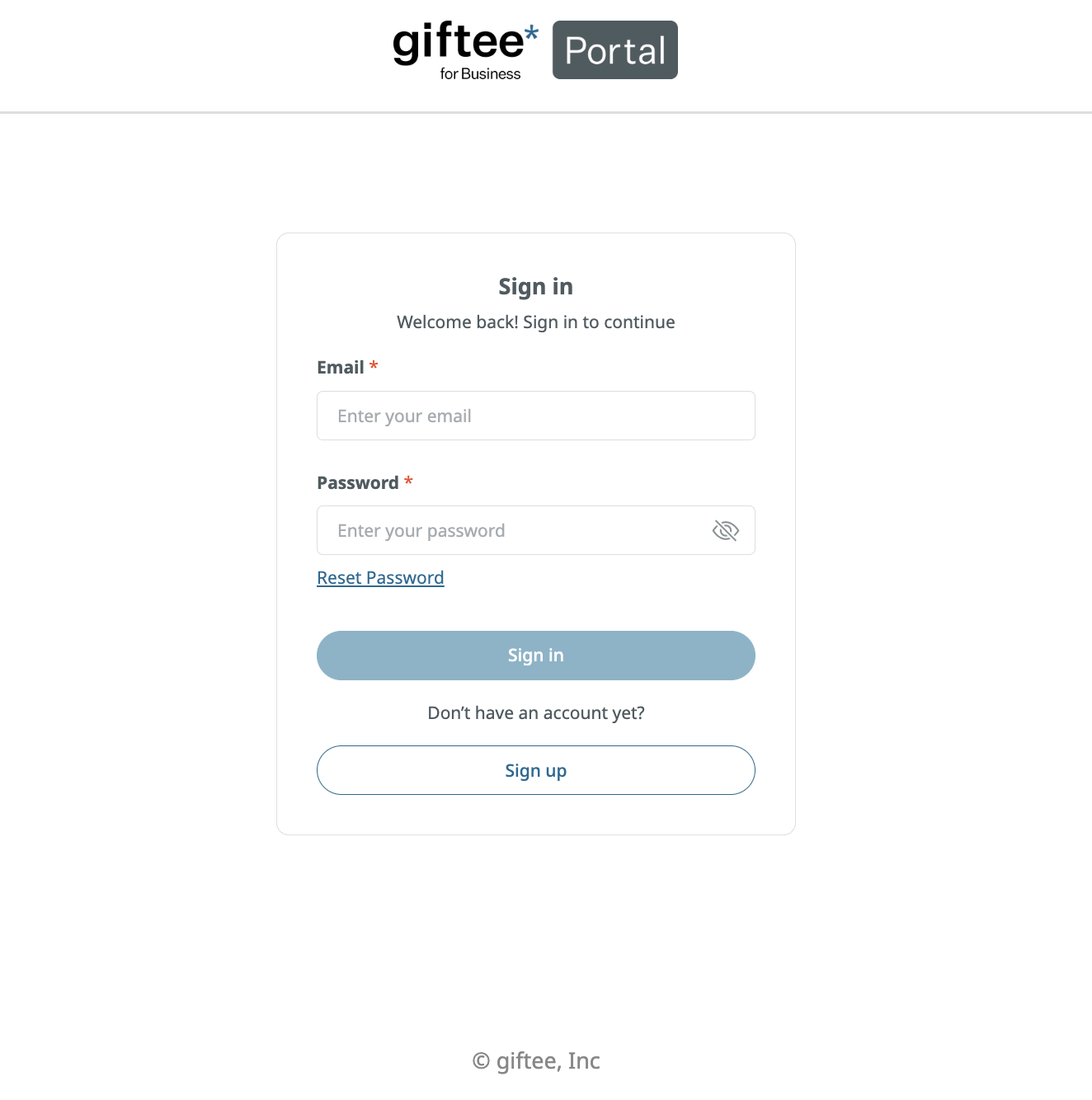
1. Visit Giftee for Business Portal page or click the link Giftee for Business Portal
2. Click Reset Password
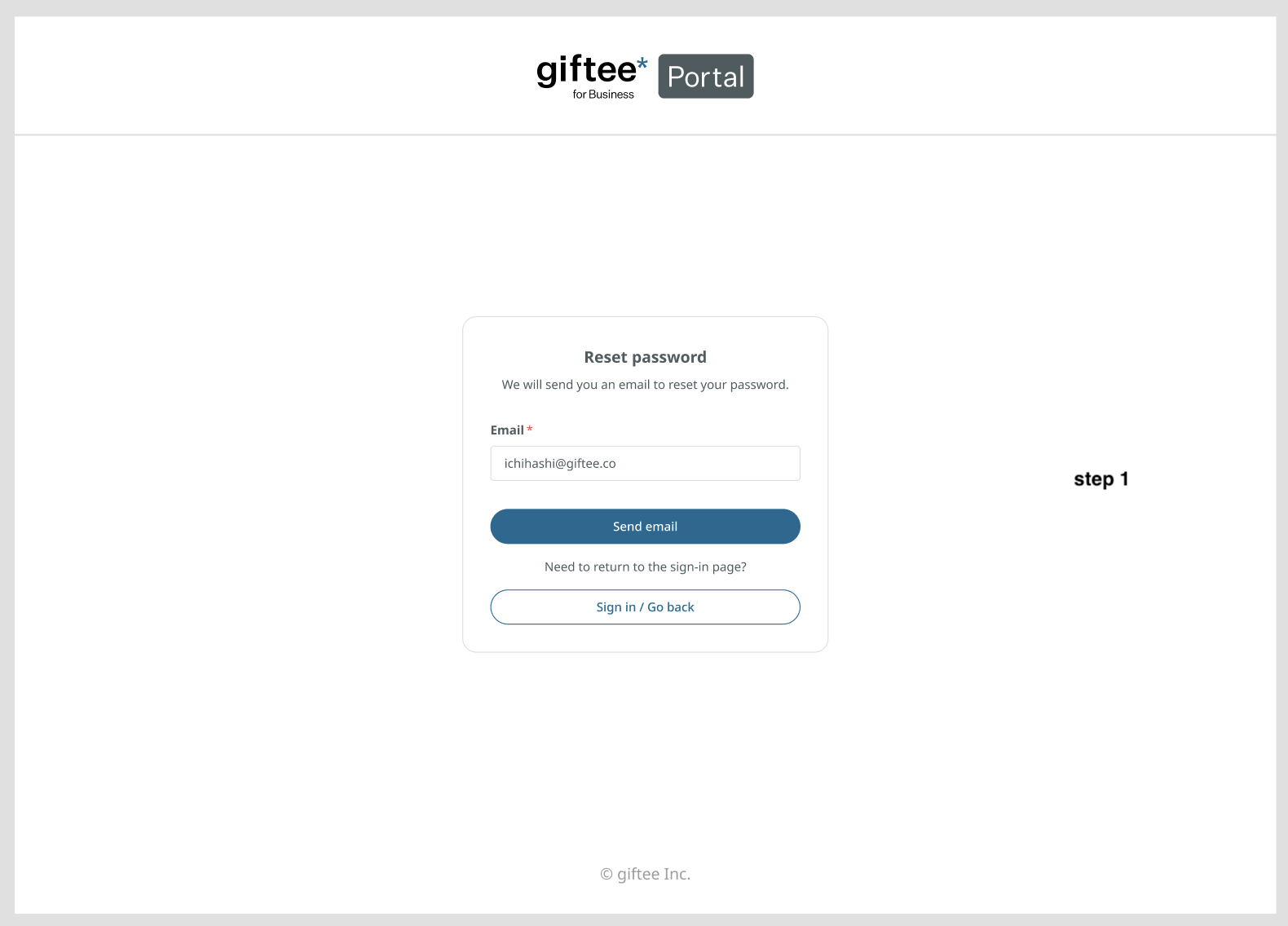
3. Input Email Address
4. Click Send email
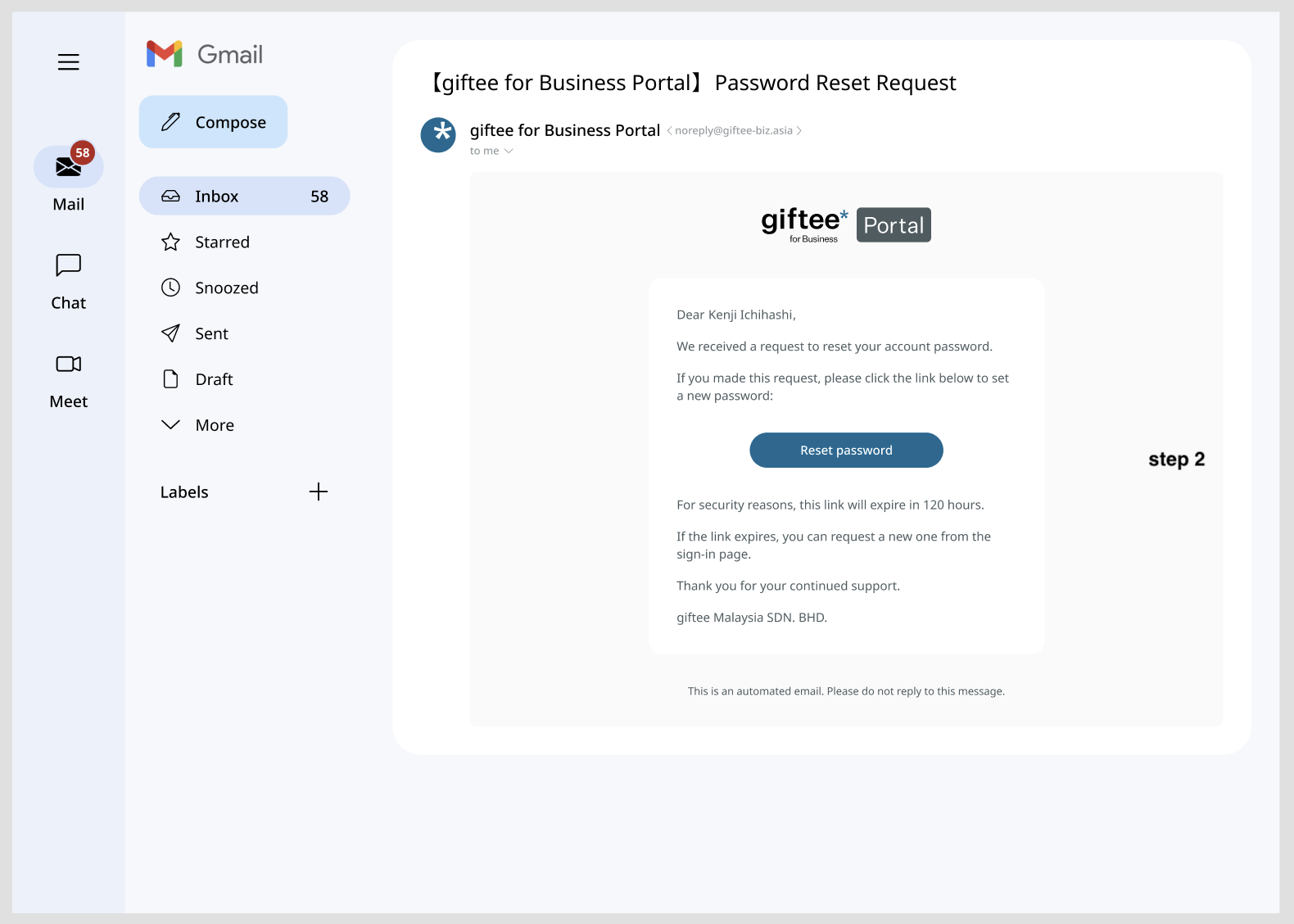
5. User will receive email notification for Password Reset Request
6. Open the email
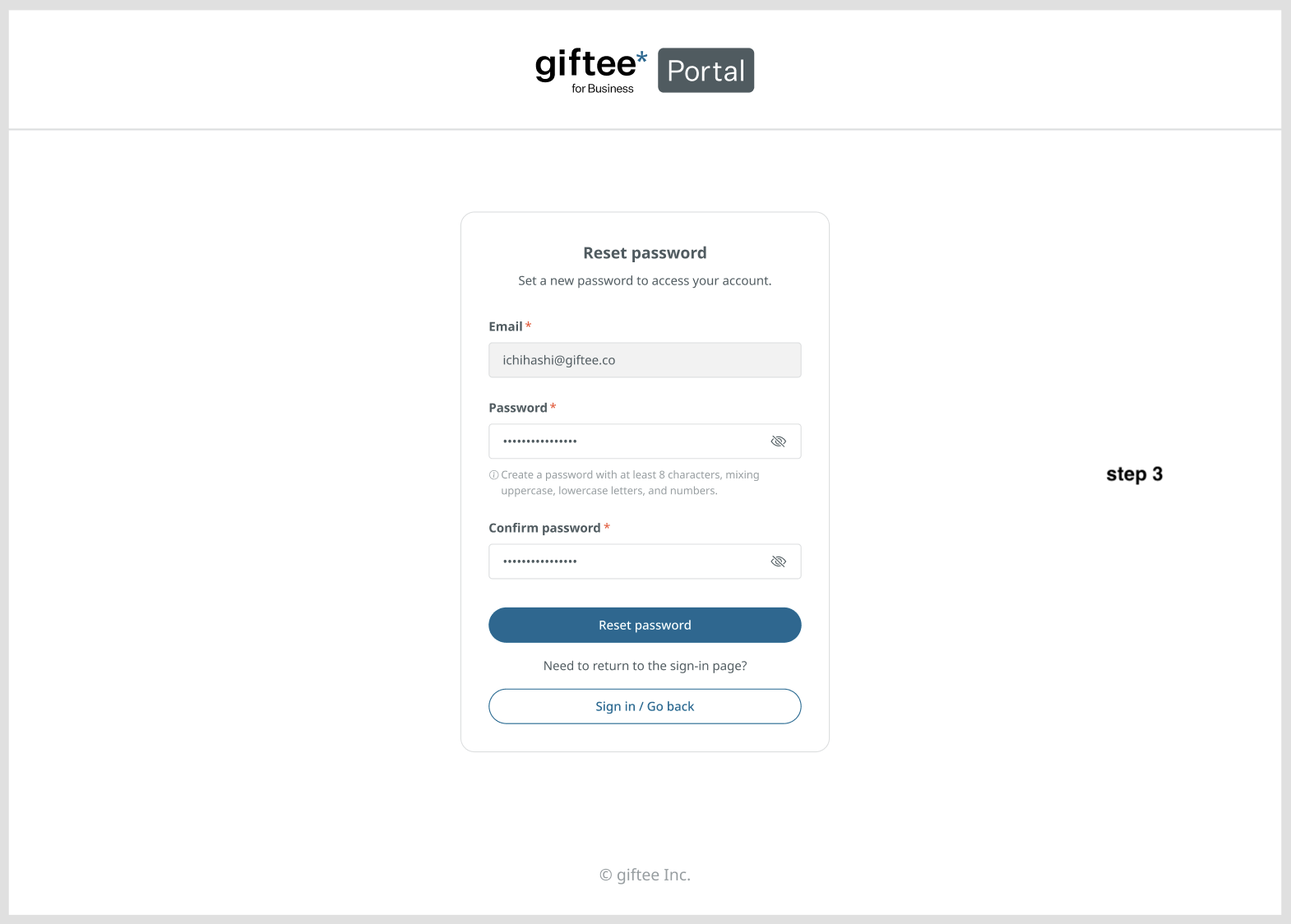
7. Click Reset Password, key in the new password and confirmation password. Then click Reset Password
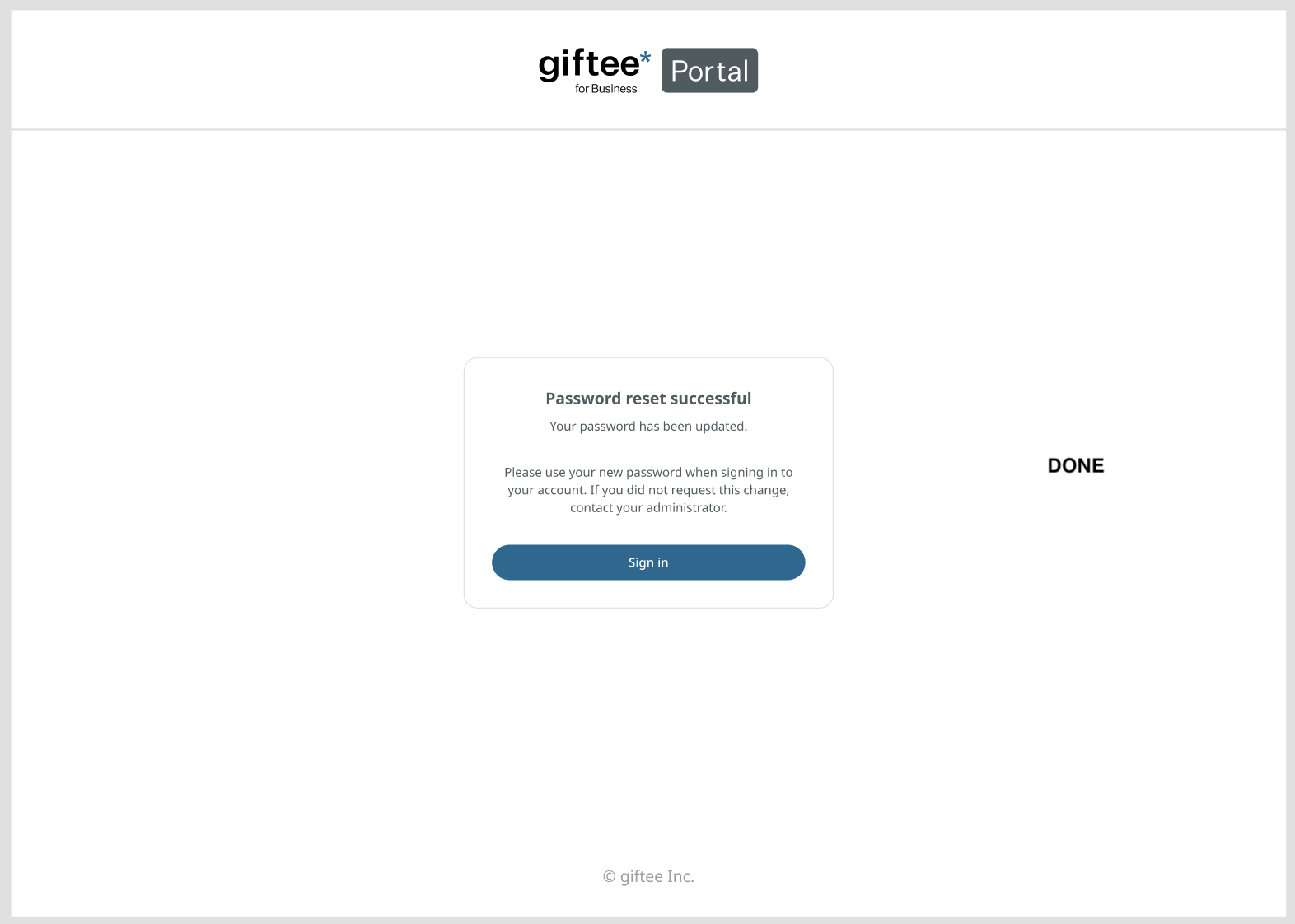
8. Password Reset successful notification will appear and user can log in with the new password
Was this article helpful?
That’s Great!
Thank you for your feedback
Sorry! We couldn't be helpful
Thank you for your feedback
Feedback sent
We appreciate your effort and will try to fix the article