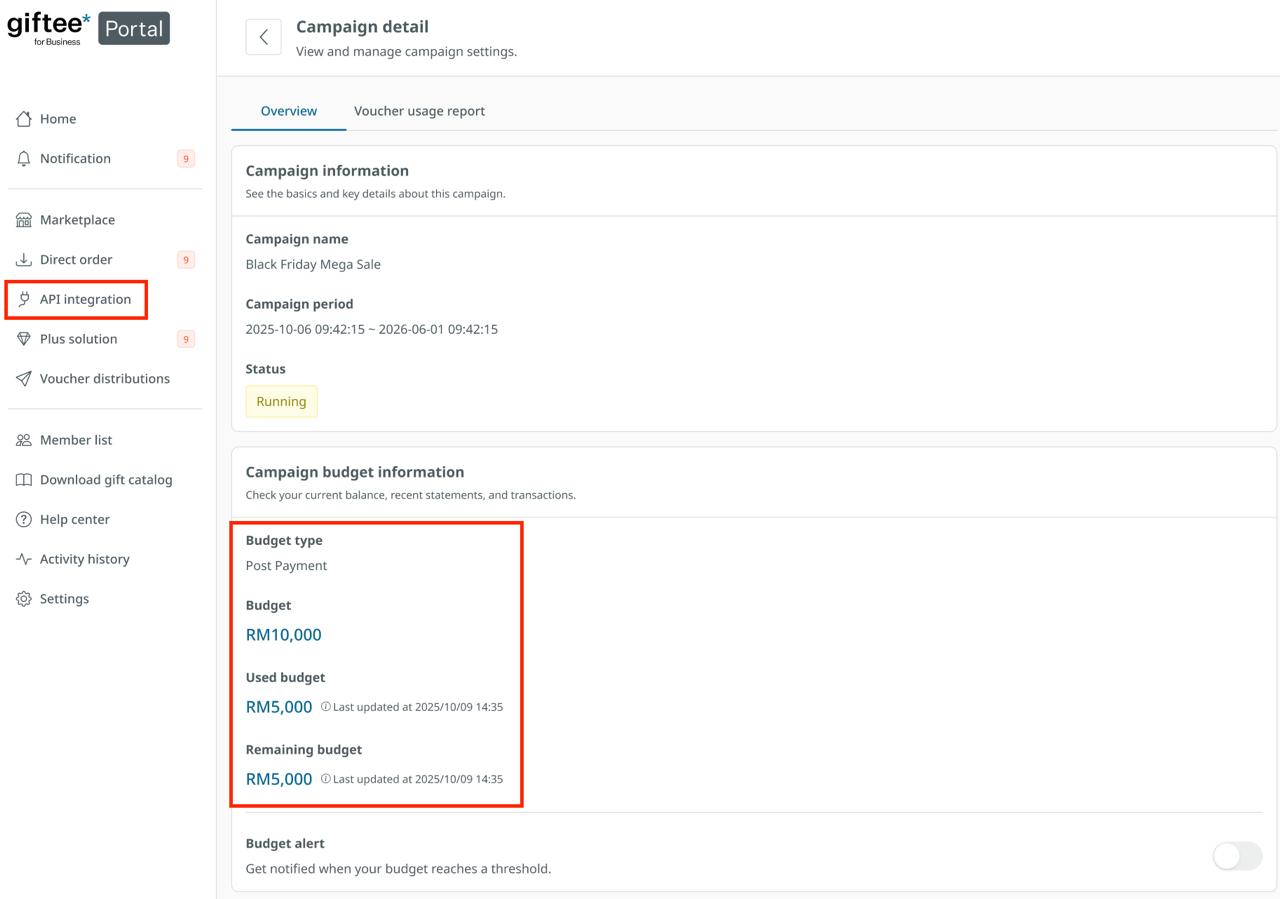
Currently, deposit balances cannot be retrieved directly via API. To view your remaining funds and manage your account, please use the giftee Business Portal.
Steps to check your balance:
Login: Access your account on the https://portal.giftee-biz.asia/
Navigate: Select API Integration from the left-hand sidebar.
View: Your current balance is displayed within the Campaign Details section.
Pro Tip: We recommend setting up an alert threshold in the portal. This ensures you receive an automated notification when your balance runs low, preventing any service interruptions.
Step to register at giftee business portal : https://giftee-help.freshdesk.com/support/solutions/articles/157000364159-how-to-register-giftee-for-business-portal-
Was this article helpful?
That’s Great!
Thank you for your feedback
Sorry! We couldn't be helpful
Thank you for your feedback
Feedback sent
We appreciate your effort and will try to fix the article