Giftee provides a Business API that allows companies to automatically issue digital gifts, streamlining gift distribution and improving operational efficiency.
Integration Process:
Sign an NDA
An NDA must be signed between your company and Giftee before API access is granted.
Receive API Reference
After the NDA is signed, we will provide the API documentation and reference.
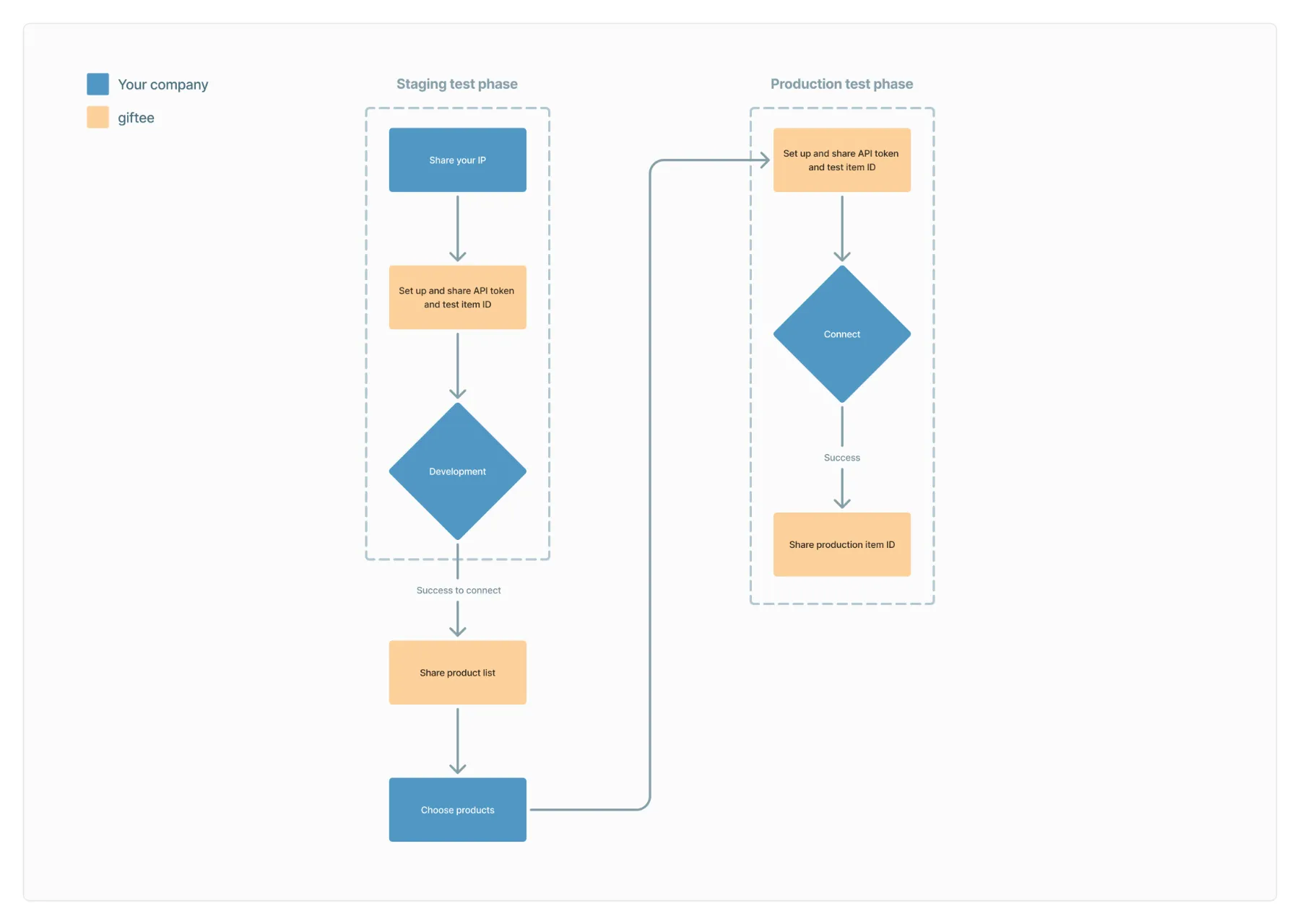
3. Staging Test
- Giftee provides a staging API token and ID.
Giftee’s sales or account manager will share a product list in Excel.
You can select which products you want to integrate with your API.
4. Production Test
- Giftee provides a production API token and ID.
Giftee will add the selected products to your API environment.
We will provide an Excel file with the item IDs for your system to use in live gift issuance.
This process ensures that your API is accurately set up with the correct products for seamless gift distribution.
Was this article helpful?
That’s Great!
Thank you for your feedback
Sorry! We couldn't be helpful
Thank you for your feedback
Feedback sent
We appreciate your effort and will try to fix the article