Giftee requires a tracking number to check the status of a voucher. This tracking number is a unique reference assigned to each voucher.
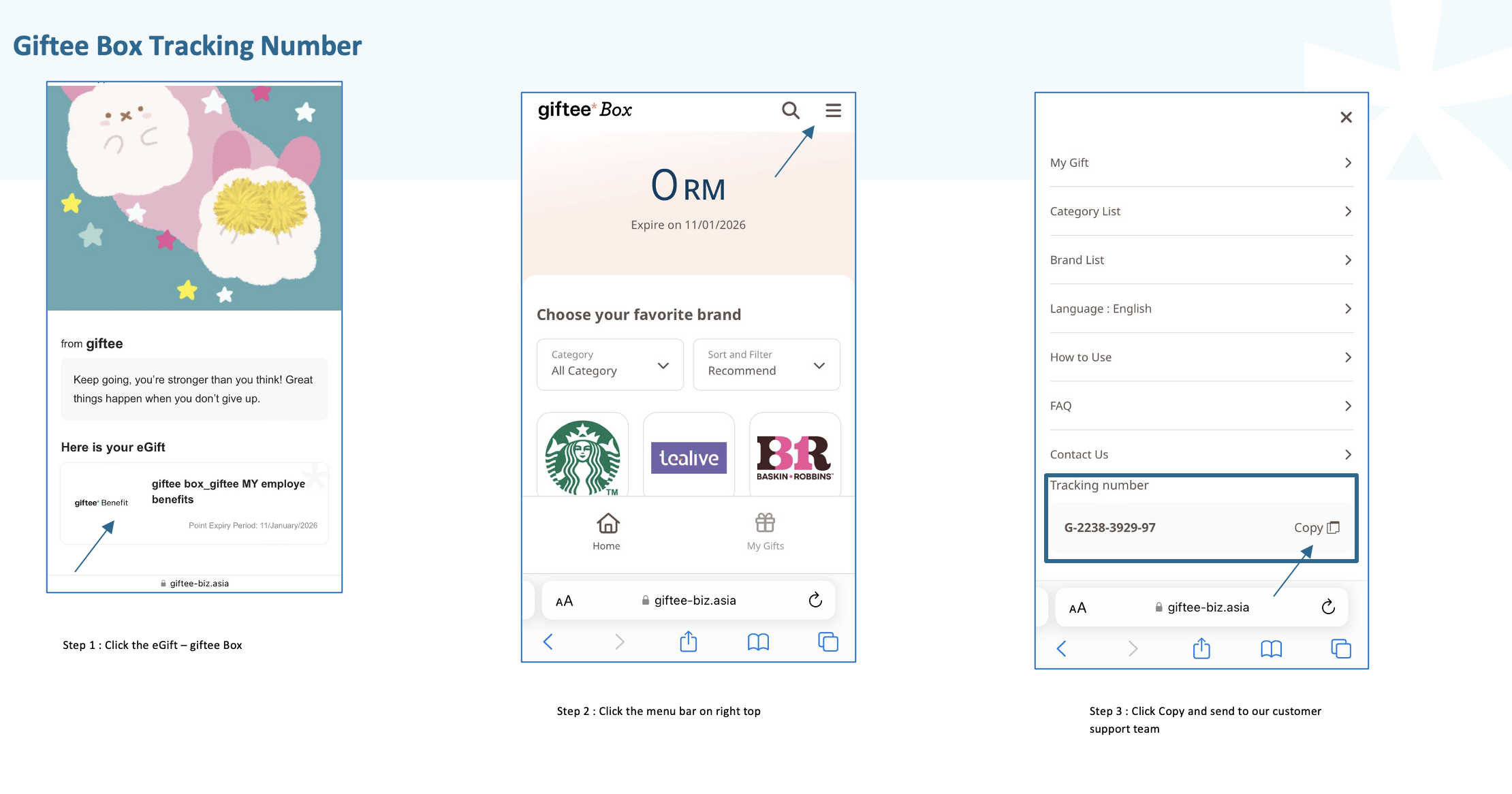
Giftee Box starts with G-XXXX-XXXX-XX contains numeric digits.
To obtain the Giftee Box tracking number, please follow the steps below:
Click on the Giftee Box voucher link.
Click the menu icon located at the top-right corner.
Scroll down until you see “Tracking Number.”
Please ensure you provide this tracking number whenever you inquire about the status or report any issues related to the Giftee Box voucher.
Was this article helpful?
That’s Great!
Thank you for your feedback
Sorry! We couldn't be helpful
Thank you for your feedback
Feedback sent
We appreciate your effort and will try to fix the article