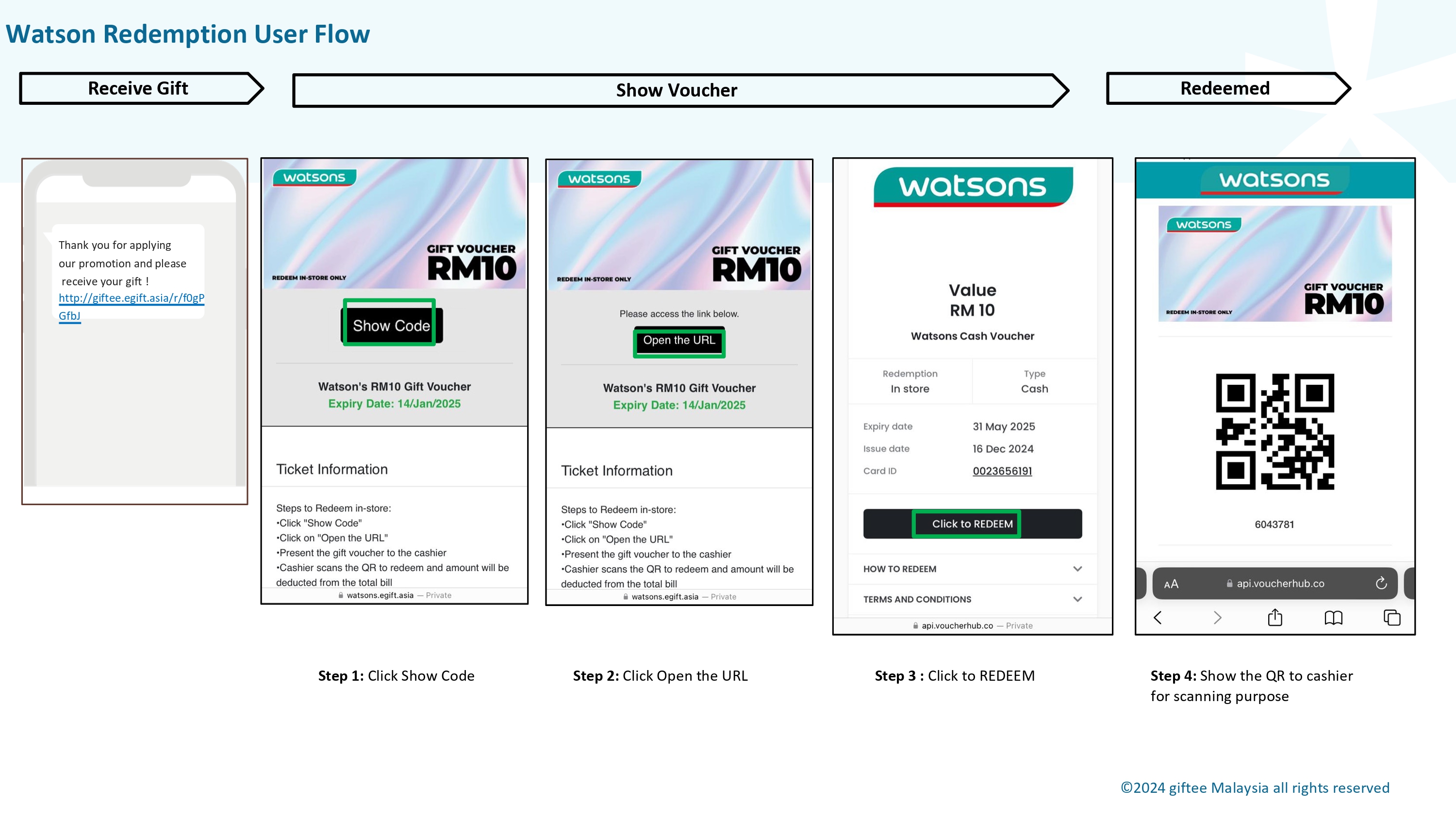
Watson's vouchers use QR Code redemption, meaning you scan the QR Code during payment at the outlet. It can be redeemed at all Watson's store and not applicable for online redemption.
1. Click Show Code
2. Click Open the URL
3. Click REDEEM
4. QR Code will be displayed and present it to the cashier
5. Cashier scans the QR Code upon payment
Was this article helpful?
That’s Great!
Thank you for your feedback
Sorry! We couldn't be helpful
Thank you for your feedback
Feedback sent
We appreciate your effort and will try to fix the article